Einfaches Tutorial zur Positionssteuerung
Dieses Tutorial zeigt, wie Sie die Cursorposition eines Inverse3-Geräts mit einem dynamischen GameObject in einer Unity-Szene steuern, und baut dabei auf den Konzepten aus der Anleitung „Erste Schritte“ auf.
Einführung
Das Inverse3-Gerät unterstützt zwei Steuerungsmodi: Kraftsteuerung und Positionssteuerung.
Während die Kraftsteuerung die Kraft anhand der Cursorposition anpasst, steuert die Positionssteuerung die Cursorposition direkt.
Dieses Tutorial nutzt das Szenen-Setup aus dem Tutorial zu Force Feedback in einer dynamischen Szene und konzentriert sich auf die Verwendung von CursorSetPosition innerhalb der Methode FixedUpdate, damit der Cursor des Geräts einem bewegten GameObject folgt.
Szenen-Setup
Beginnen Sie mit der Szenenkonfiguration aus dem Tutorial zu Force Feedback in einer dynamischen Szene, die einen Haptic Rig und ein GameObject Moving Ball umfasst, das durch die Komponente MovableObject gesteuert wird.
Implementierung der Komponente SpherePositionControl
Ersetzen Sie die Komponente SphereForceFeedback am GameObject Moving Ball durch ein neues C#-Skript namens SpherePositionControl.cs.
Definieren Sie in der Klasse SpherePositionControl die folgenden Eigenschaften:
public Inverse3 inverse3;
public float minSyncDistance = 0.05f;
private bool _isCursorSynchronized;
- inverse3: Verweis auf die Komponente des Inverse3-Geräts, die im Inspector festgelegt wird.
- minSyncDistance: Mindestabstand, ab dem die Cursorsynchronisierung gestartet wird.
- _isCursorSynchronized: Flag, das angibt, ob die Bewegung des Cursors mit dem Moving Ball synchronisiert ist.
Synchronisierungslogik
Implementieren Sie Methoden, um die Cursorsynchronisierung abhängig von der Nähe zum Moving Ball zu starten und zu beenden:
private void StartSynchronizeCursor()
{
    var cursorPosition = inverse3.Cursor.transform.position;
    GetComponent<MovableObject>().SetTargetPosition(cursorPosition, teleport: true);
    _isCursorSynchronized = true;
}

private void StopSynchronizeCursor()
{
    _isCursorSynchronized = !inverse3.Release();
}
Hier wird
MovableObject.SetTargetPosition(position, teleport:true)verwendet, wodurch der MovingBall an die Cursorposition teleportiert wird.
Methoden Update und FixedUpdate
Schalten Sie in der Methode Update die Cursorsynchronisierung abhängig vom Abstand zwischen Cursor und Moving Ball um:
private void Update()
{
    var distance = Vector3.Distance(inverse3.CursorPosition, transform.position);
    if (!_isCursorSynchronized && distance <= minSyncDistance)
    {
        StartSynchronizeCursor();
    }
    else if (_isCursorSynchronized && distance > minSyncDistance)
    {
        StopSynchronizeCursor();
    }
}
Aktualisieren Sie in FixedUpdate die Position des Cursors so, dass sie der Position des Moving Ball entspricht, sofern die Synchronisierung aktiv ist:
private void FixedUpdate()
{
    if (_isCursorSynchronized)
    {
        inverse3.SetCursorPosition(transform.position);
    }
}
Verwenden Sie die Methode FixedUpdate, damit die Positionssteuerung unabhängig von der Leistung der grafischen Darstellung mit einer stabilen Bildrate läuft.
Initialisierung
Stellen Sie in Awake() sicher, dass der Moving Ball in einer Position beginnt, die für das Inverse3-Gerät erreichbar ist, unabhängig von dessen Händigkeit:
private void Awake()
{
    inverse3.Ready.AddListener(device =>
    {
        GetComponent<MovableObject>().SetTargetPosition(((Inverse3)device).WorkspaceCenterLocalPosition, teleport: true);
    });
}
Spielerlebnis
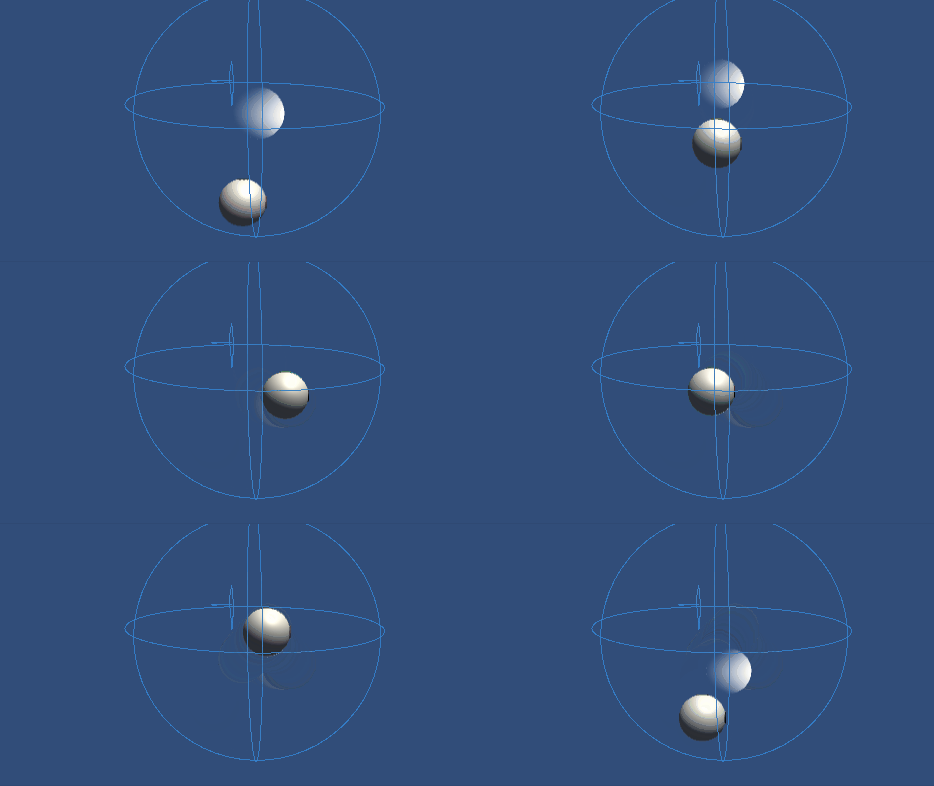
Befestigen Sie das Inverse3-Gerät und sorgen Sie für ausreichend Platz. Wenn Sie den Play-Modus aktivieren und sich mit dem Cursor dem Moving Ball nähern, folgt das Inverse3-Gerät den Bewegungen des Moving Ball. Mit Tastatureingaben lässt sich der Moving Ball bewegen, wodurch die Fähigkeit des Cursors demonstriert wird, dessen Position zu verfolgen.
Quelldateien
Die vollständige Szene und die zugehörigen Dateien für dieses Tutorial finden Sie im Beispiel Tutorials im Package Manager von Unity.
Dazu gehört das Skript MovableObject, das in mehreren Beispielen verwendet wird, um die Bewegung von GameObjects per Tastatureingabe zu steuern.
SpherePositionControl.cs
/*
 * Copyright 2024 Haply Robotics Inc. All rights reserved.
 */

using Haply.Inverse.DeviceControllers;
using Haply.Samples.Tutorials.Utils;
using UnityEngine;

namespace Haply.Samples.Tutorials._5_SimplePositionControl
{
    /// <summary>
    /// Controls the Inverse3 cursor position based on the current position of this GameObject.
    /// When the GameObject is within a specified distance from the cursor, it initiates synchronized control,
    /// allowing the cursor to follow the GameObject's movements.
    /// </summary>
    [RequireComponent(typeof(MovableObject))]
    public class SpherePositionControl : MonoBehaviour
    {
        public Inverse3Controller inverse3;

        [Tooltip("Minimum distance required to initiate synchronized control between this GameObject and the Inverse3 cursor.")]
        [Range(0, 1)]
        public float minSyncDistance = 0.05f;

        private bool _isCursorSynchronized;

        private void Awake()
        {
            // Ensure inverse3 is set, finding it in the scene if necessary.
            inverse3 ??= FindFirstObjectByType<Inverse3Controller>();

            // When inverse3 is ready, so the handedness is defined
            inverse3.Ready.AddListener((device, args) =>
            {
                // Teleport the sphere to its workspace center to ensure it can be reached,
                // regardless of whether the device is left or right-handed. This ensures the GameObject starts in a
                // position that is accessible by the Inverse3 device.
                GetComponent<MovableObject>().SetTargetPosition(device.WorkspaceCenterLocalPosition, teleport:true);
            });
        }

        private void OnDisable()
        {
            // Ensure movement synchronization is disabled when the component is disabled.
            StopSynchronizeCursor();
            inverse3.Release();
        }

        private void Update()
        {
            if (!inverse3.IsReady)
            {
                return;
            }
            // Calculate the distance between the Inverse3 position and this object's position.
            var distance = Vector3.Distance(inverse3.CursorPosition, transform.position);

            // Enable synchronized movement if within the minimum sync distance and not already synced.
            if (!_isCursorSynchronized && distance <= minSyncDistance)
            {
                StartSynchronizeCursor();
            }
            // Disable synchronized movement if outside the minimum sync distance and currently synced.
            else if (_isCursorSynchronized && distance > minSyncDistance)
            {
                StopSynchronizeCursor();
            }
        }

        private void FixedUpdate()
        {
            if (_isCursorSynchronized)
            {
                // If in sync, set the Inverse3 cursor position to this object's position.
                inverse3.SetCursorPosition(transform.position);
            }
            else
            {
                inverse3.ProbeCursorPosition(true);
            }
        }

        private void StartSynchronizeCursor()
        {
            // Get the current cursor position.
            var cursorPosition = inverse3.Cursor.transform.position;

            // Teleport this object to the cursor position to avoid a sudden jump when position control starts.
            GetComponent<MovableObject>().SetTargetPosition(cursorPosition, teleport:true);

            // Start synchronizing the movement of this object with the cursor.
            _isCursorSynchronized = true;
        }

        private void StopSynchronizeCursor()
        {
            // Stop synchronizing the movement.
            _isCursorSynchronized = !inverse3.Release();
        }
    }
}