Hardware Configurations
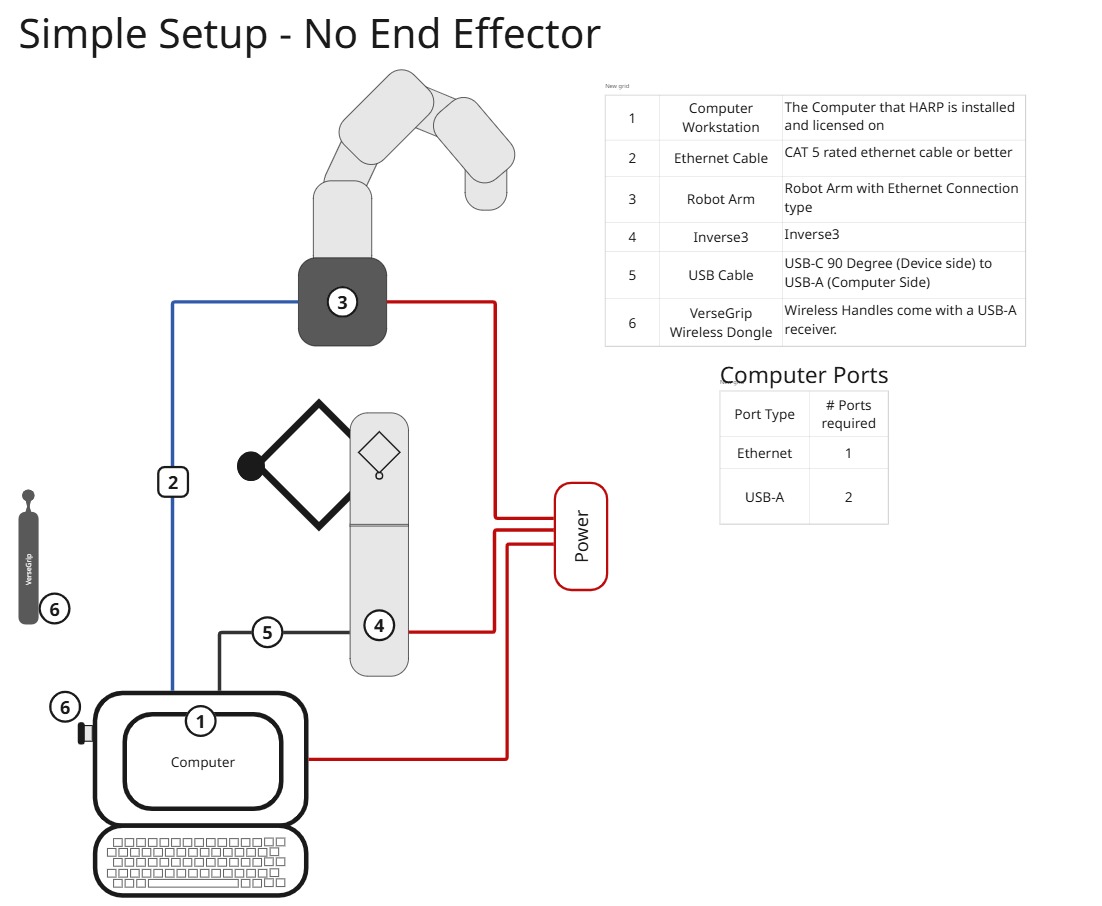
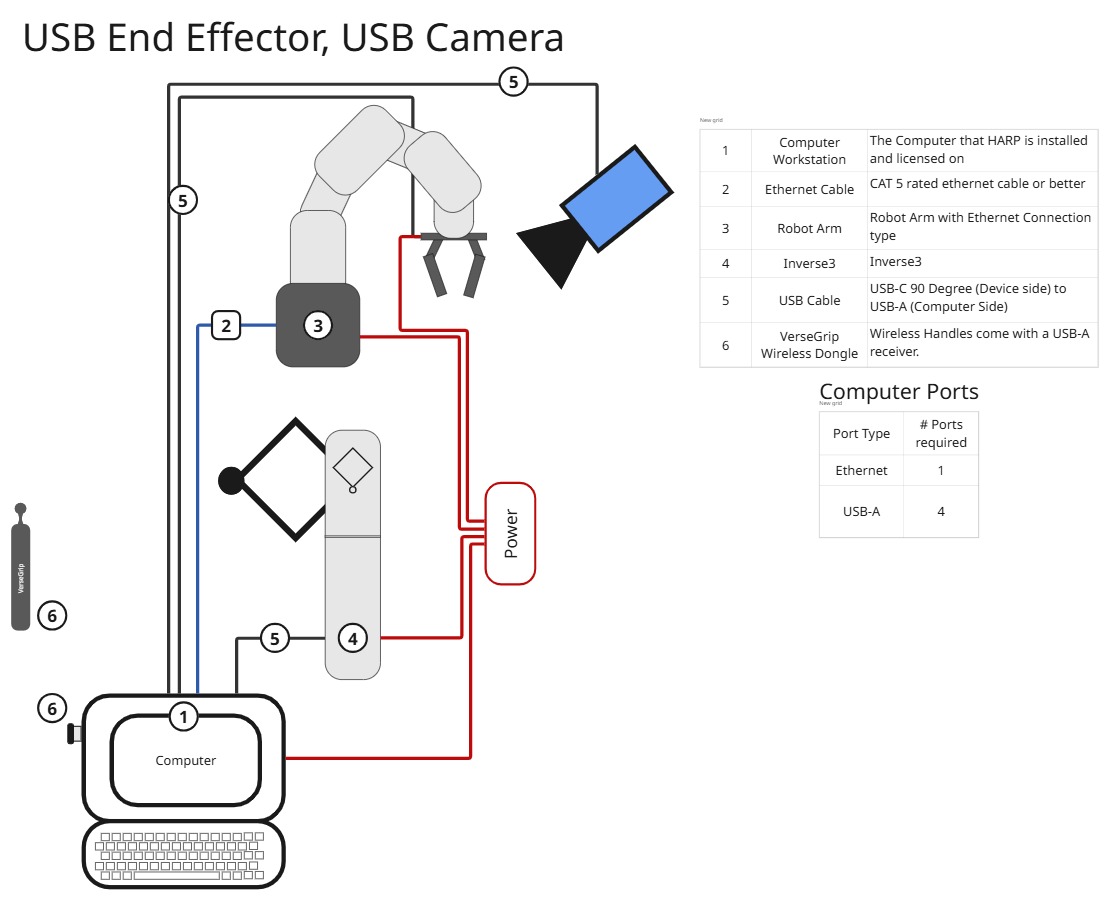
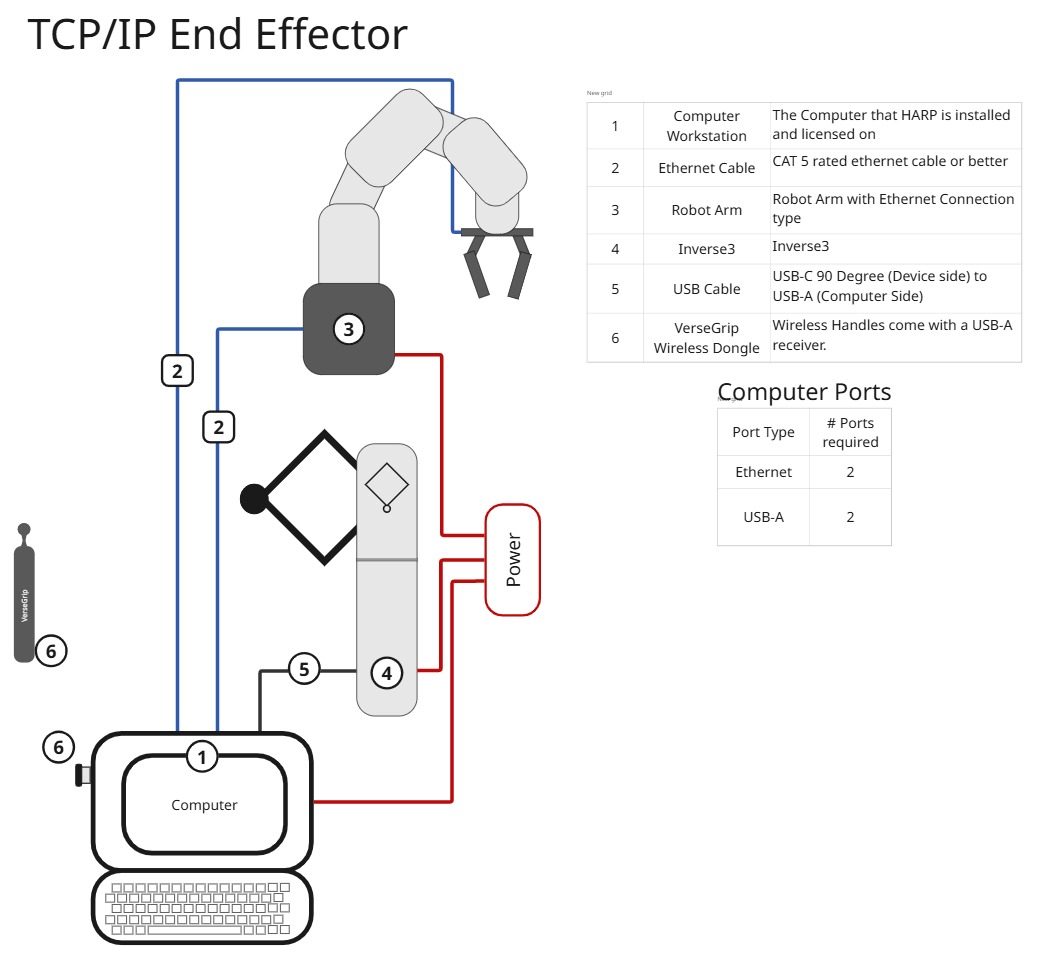
This section provides example hardware layouts to help visualize common HARP system configurations.
These examples illustrate several practical combinations of leader devices, follower robots, end effectors, and supporting hardware. Use them as a reference when setting up your own system, while keeping in mind that the exact configuration may vary depending on the application and connected hardware.
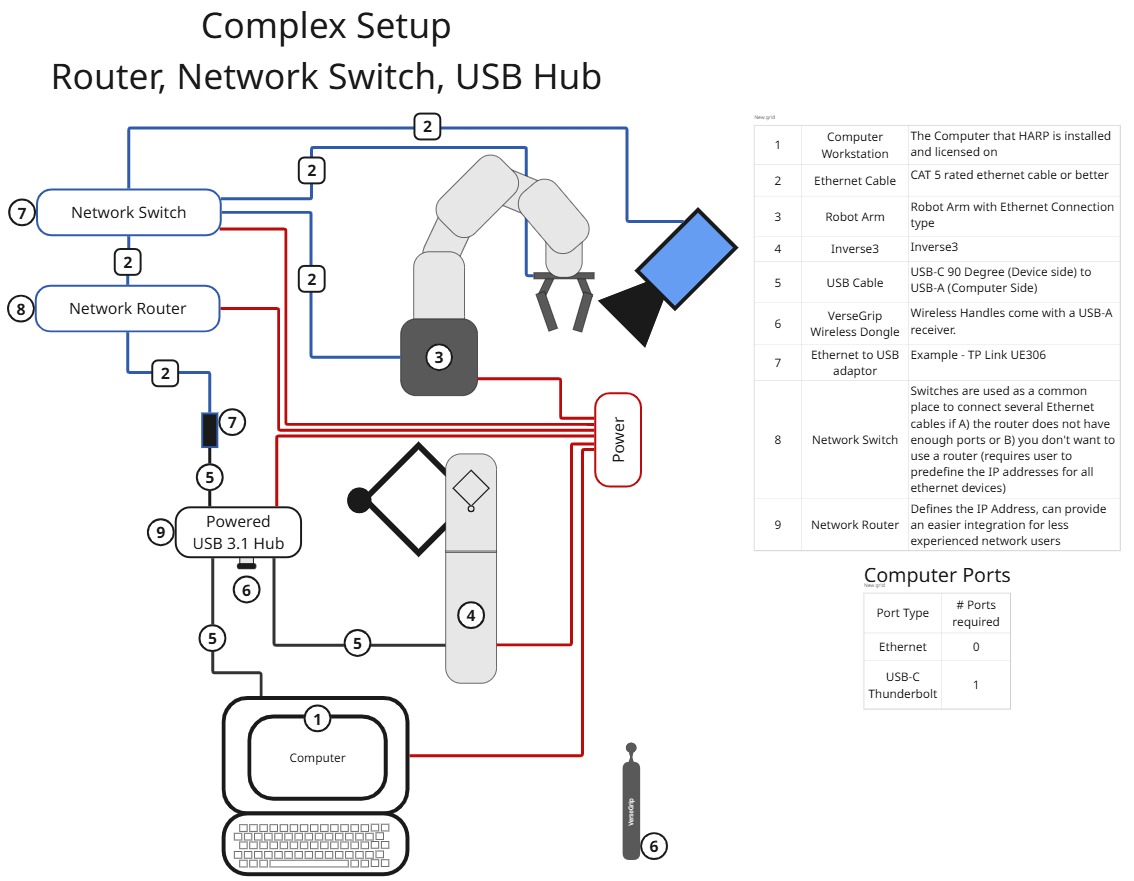
If your computer does not have enough available USB ports, a compatible USB hub can be used to connect the Haptic Leader devices.
To maintain reliable communication and force-feedback performance, use a USB 3.1-rated or Thunderbolt-rated hub with sufficient data bandwidth.
Not all USB hubs are suitable for real-time haptic communication. Some hubs may limit data throughput, introduce communication issues, or restrict performance when multiple devices are connected.
For best results:
- Use a reputable, properly rated USB 3.1 or Thunderbolt hub.
- Avoid low-cost hubs that may have limited bandwidth or power-delivery capabilities.
- If communication or force-feedback issues occur, test the devices using a direct computer connection or a different hub.
Haply Robotics has generally observed better compatibility with established manufacturers such as Lenovo, Anker, ORICO, and Cable Matters, although compatibility may vary between individual hub models.