4. Installation & Setup
4.1 Prerequisites
Before using HARP, you must install the Haply Hub This application manages connections and data between Haply devices and HARP.
- Visit develop.haply.co/ to download the Haply Hub from our developer hub
- After downloading the installer, run the executable and follow the instructions
- Once installed, the Haply Hub will run in the background and maintain the connection with Haply Devices.
The computer you are using should not have a separate instance of the Haply Inverse Service installed. See Appendix D on instructions to remove the Haply Inverse Service before installing HARP
4.2 Installing HARP
When you purchase HARP, you will receive the HARP installer file in an email from our team. This is a single-file installer containing everything needed to set up the platform.
-
Run the installer.
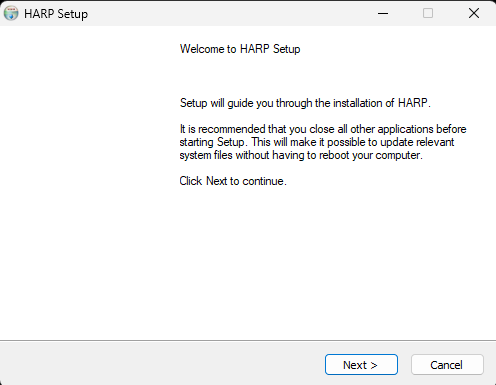
-
Choose an installation location as close to your root directory as possible to avoid path name length issues.
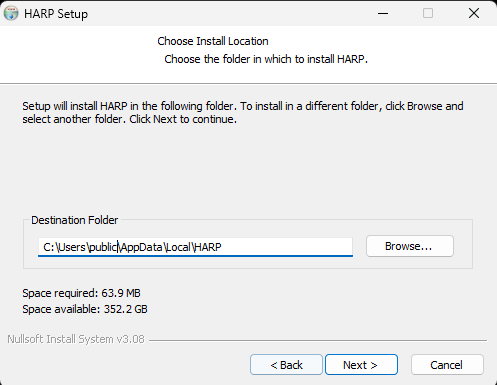
-
Select the check boxes if you want to in HARP and/or Create a desktop shortcut and click Finish.
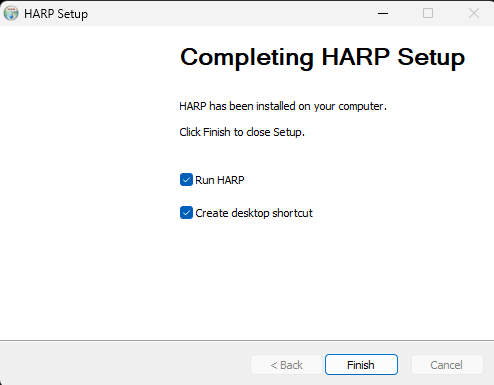
4.3 Connections
HARP connects to devices through COM ports or IP connections.
- If your computer has any restrictions on COM port or IP connection use, modify your security system to allow USB devices to interact with HARP and the Haply Device Manager.
- TCP/IP connections are used for many follower devices. Ensure that all follower devices share the same default gateway setup and that each has a unique IP address.
- Configure your computer’s local IP address to match the preferred gateway if it differs from your default network IP scheme.
Example Network Setup
| Device | IP Address |
| -------------------------------------- | –-------------- |
| Router | 192.168.2.1 |
| Computer | 192.168.2.2 |
| Robot Arm | 192.168.2.3 |
| End-Effector/Gripper | 192.168.2.4 |
| Force/Torque Sensor | 192.168.2.5 |
| Safety Controller | 192.168.2.6 |
All devices should be set up for a static IP for the least friction and troubleshooting. This is the most common approach to using network devices in Industrial Automation. Static IP's allow you to remove a router from your hardware stack if you prefer to only have a network switch.