Inverse3 Parameters
When you click the Options button for the Haply Inverse3, two device-specific settings are available independently of the connected follower devices.
These settings are provided through the Haply service and can be enabled, disabled, or adjusted as needed.
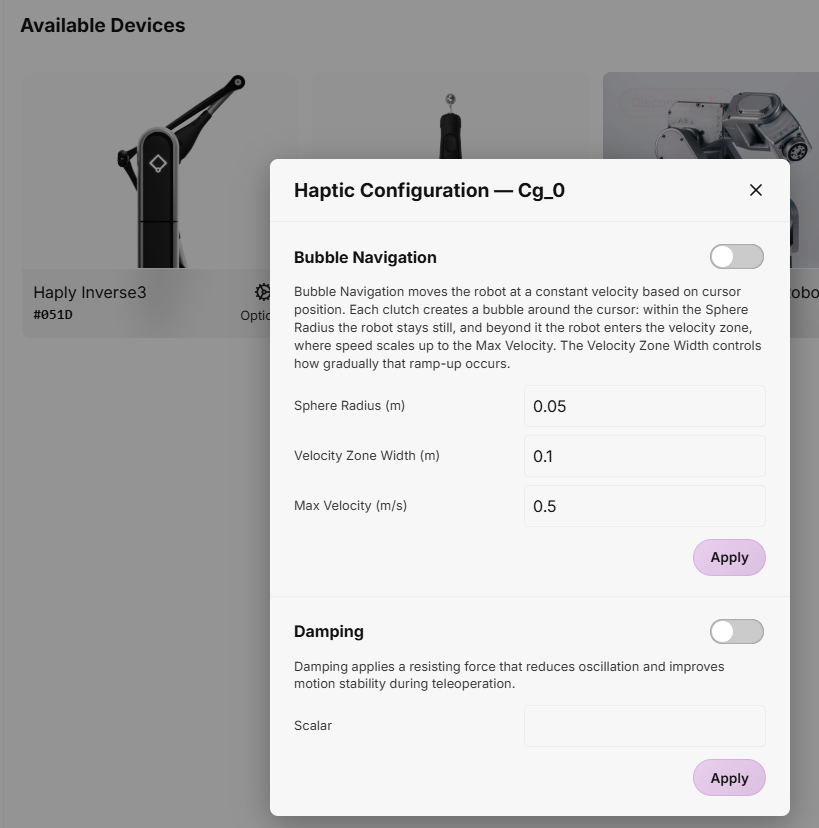
Bubble Navigation
Bubble Navigation allows you to move the follower robot across a workspace larger than the physical reach of the Inverse3 without repeatedly using the clutch.
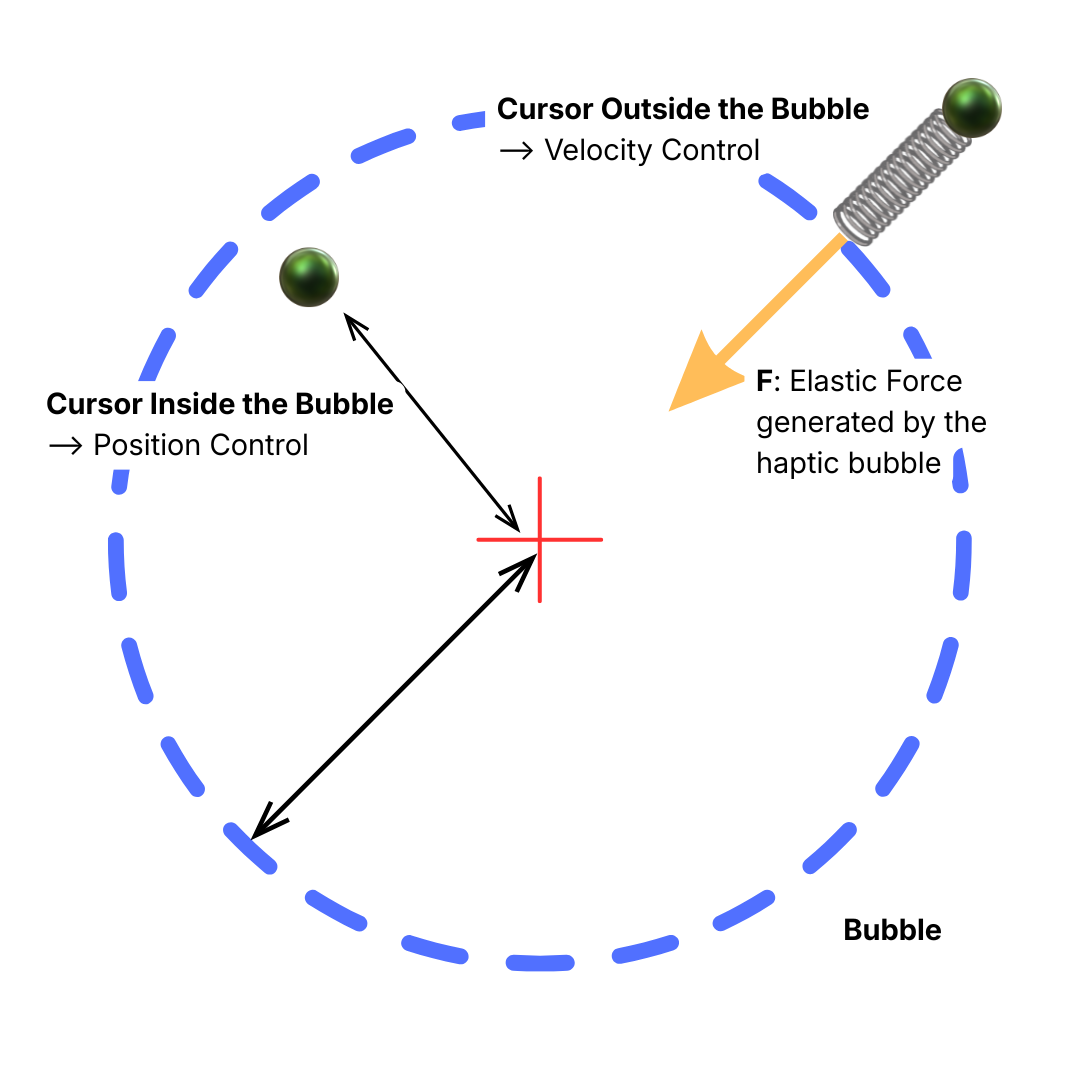
The feature combines two control modes around a virtual sphere, or bubble, centered on the cursor's resting position:
- Inside the bubble: HARP uses position control. The follower robot tracks the leader motion according to the configured motion scale, providing precise control for fine manipulation tasks.
- Outside the bubble: HARP switches to velocity control. The follower robot moves continuously in the direction of the applied leader motion. The farther the cursor moves beyond the bubble boundary, the higher the commanded velocity.
The boundary of the bubble is communicated through the Inverse3 as an elastic haptic resistance that increases as the cursor moves outward. A stiffer haptic boundary at the outer limit of the navigation zone prevents further cursor motion.
To stop velocity-based navigation, move the cursor back inside the bubble. The follower robot stops its continuous motion, and HARP returns to position control.
Within HARP, you can configure the following Bubble Navigation parameters:
- Sphere (Bubble) Radius (m): Defines the radius of the position-control region around the cursor's resting position.
- Velocity Zone Width (m): Defines the width of the velocity-control region outside the bubble.
- Maximum Velocity Outside the Bubble (m/s): Sets the maximum follower velocity when the cursor is operating in the velocity-control region.
Damping
The Damping feature applies a resistive haptic force that opposes motion, helping reduce oscillations and improve stability during teleoperation.
The damping level can be adjusted using a scalar value starting from 1 to max 25. Increasing this value increases the damping effect and produces stronger resistive force feedback through the Inverse3.