Robot Parameters
When a follower robot is connected, several control options become available, including Home, Reset, and Options.
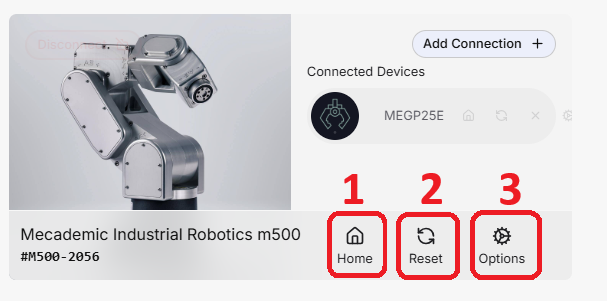
- Home: Moves the robot to its predefined default Home pose. This motion is executed independently of the virtual collision objects configured in the HARP workspace.
WARNING
Before using Home, make sure the robot's physical workspace is clear and that the motion can be completed safely.
-
Reset: Resets the robot connection and attempts to re-establish communication with the follower device.
-
Options: Opens the robot-specific configuration settings available in HARP. Changes made in this section are sent directly to the robot, so no additional configuration is required outside HARP for the supported settings. For more information, refer to Robot Settings.