Introduction
In HARP, the workspace represents the 3D operating environment of the robot, including its allowed motion region and the objects or restricted areas defined within the scene. You can think of it as a virtual representation of the robot's physical working environment.
Each supported robot model is provided with a default workspace configuration based on its operating parameters. Default configurations may also include motion limits such as maximum speed and acceleration.
When a project is open, the Workspace page allows you to:
- Configure the robot's position and orientation within the scene.
- Define the orientation of the Inverse3 relative to the robot.
- Restrict the robot's operating region by configuring minimum and maximum X, Y, and Z limits.
- Add virtual exclusion zones, such as boxes or spheres, that define regions the robot should not enter.
All workspace configurations are saved as part of the project.
Workspace During Teleoperation
The workspace configuration is actively used during teleoperation. Motion from the Inverse3 is mapped to the follower robot within the configured workspace limits.
When the commanded robot motion approaches a workspace boundary or an exclusion zone, HARP restricts further motion in that direction. Haptic force feedback is also applied through the Inverse3, allowing the operator to feel a virtual boundary or "wall" as the robot approaches the configured limit.
Workspace constraints are applied as part of HARP's motion-control and safety logic and work together with other configured protection mechanisms, including force-based monitoring when available.
Workspace Reference Frame
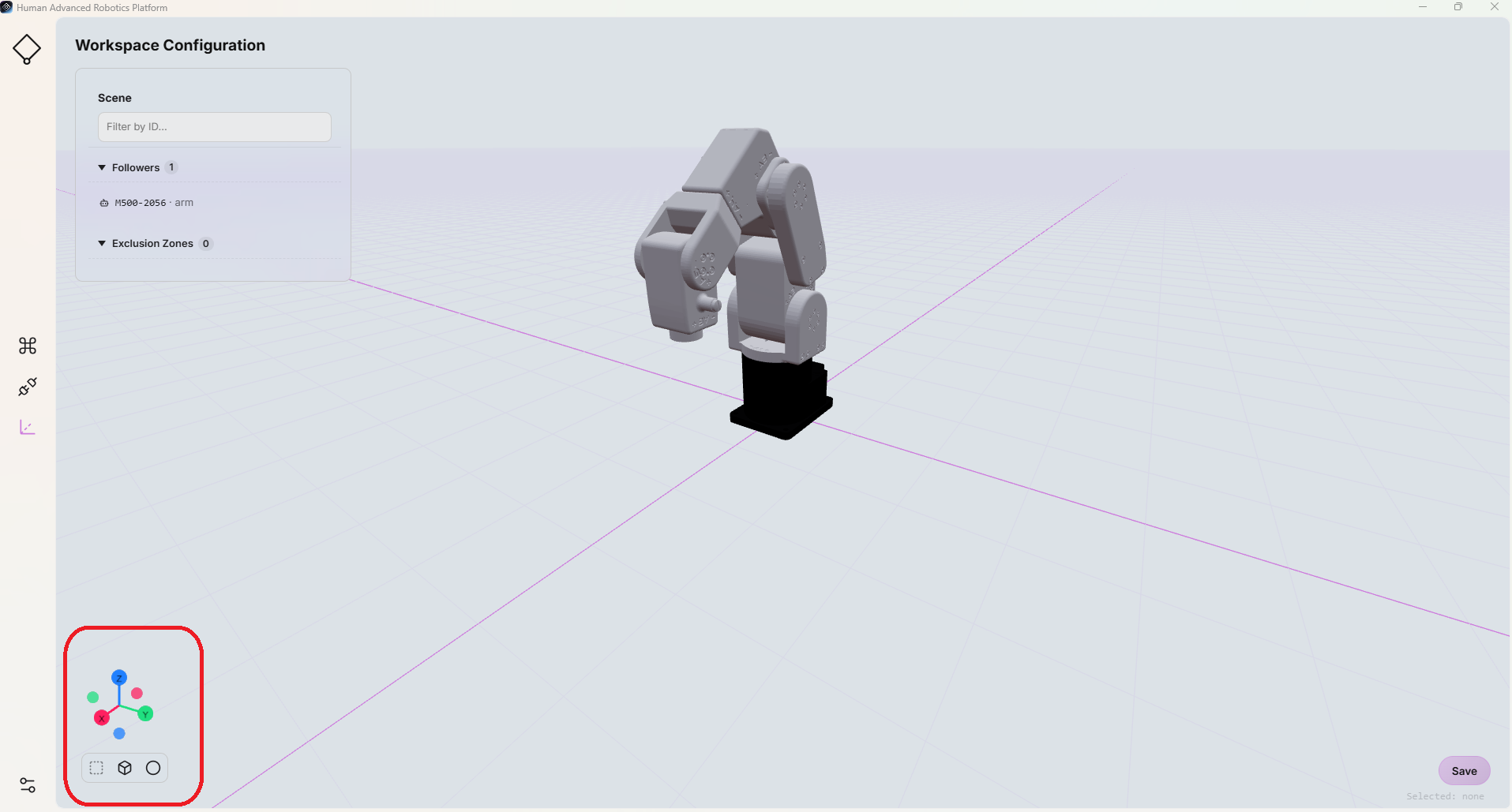
The workspace coordinate system is represented by the 3D reference frame displayed in the bottom-left corner of the Workspace page.
The axes are consistently represented using the following colors:
- Red: X-axis
- Green: Y-axis
- Blue: Z-axis