Workspace Limits
In HARP, a workspace limit defines a virtual 3D boundary that the robot's TCP must remain within. The limits are configured on the Workspace page by setting minimum and maximum values for the X, Y, and Z axes, in meters.
During teleoperation, HARP slows the robot as it nears an edge of the box, then lets it slide along that edge instead of crossing it. At the same moment it pushes back on the Inverse3, so the operator feels a wall.
Workspace limits can be used to restrict the robot from entering areas that may be physically reachable but are not intended for operation, such as:
- Below a work surface
- Outside the boundaries of the robot cell
- Near equipment or other obstacles
- Toward an operator or restricted area
The configured workspace limits apply to the robot's TCP only and do not represent full-arm collision checking.
Workspace limits are software-defined constraints within HARP. They are intended to complement, not replace, the robot's built-in safety functions, safety controller, emergency stop, or other required safety systems.
To configure the robot's workspace limits:
- Open the Workspace page in HARP.
- Locate the Workspace Configuration panel.
- Select the connected robot from the object list on the left side.
- On the right side of the Workspace Configuration page, configure the minimum and maximum limits for the X, Y, and Z axes, in meters.
- Save the project to preserve the updated workspace configuration.
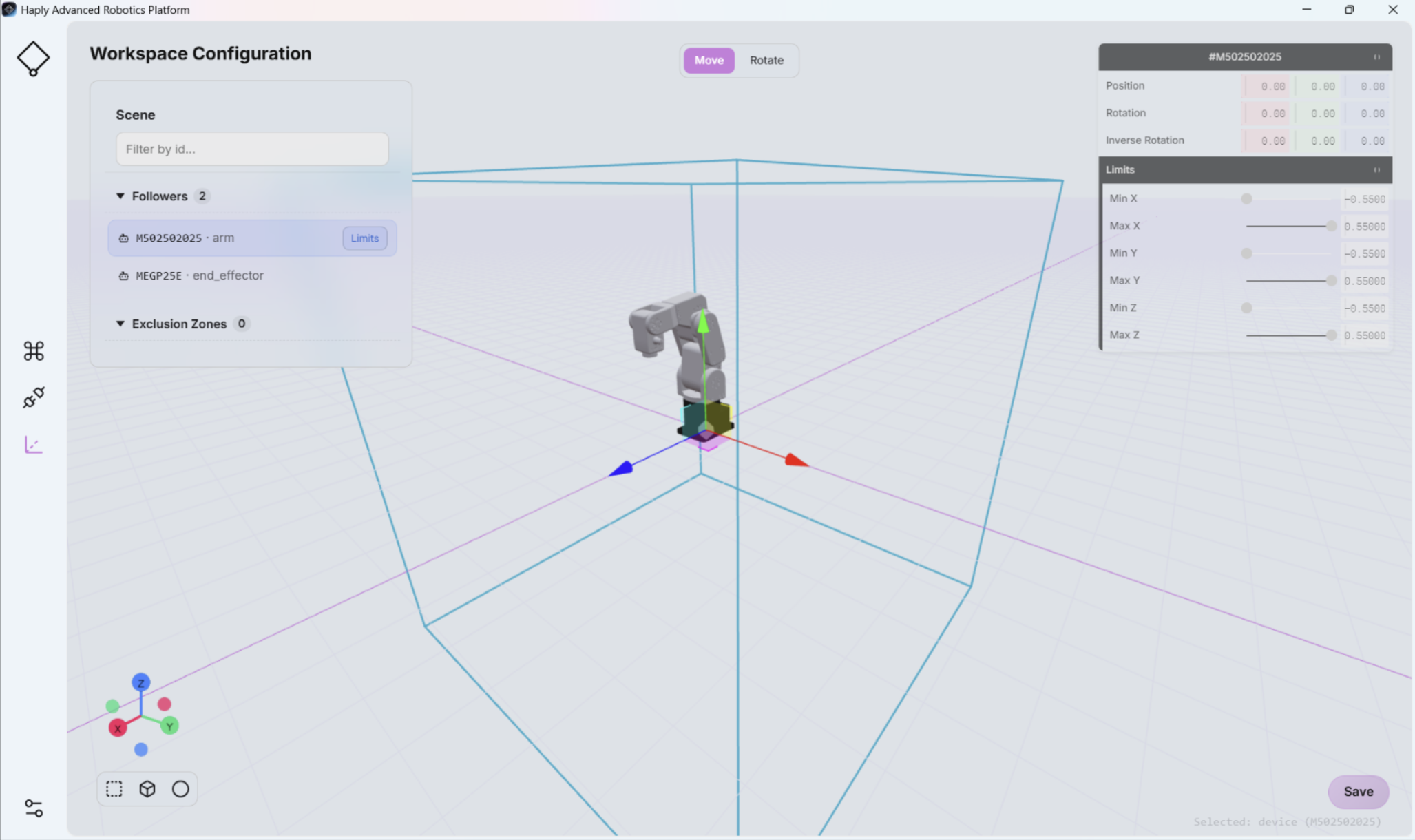
The Workspace configuration is directly linked to the Scene View in the Command Center screen (see Scene View). Any changes made to the workspace configuration are reflected in the Scene View.
Incorrectly configured workspace limits or exclusion zones may allow the robot to enter unintended or hazardous areas.
Before normal operation, physically validate all workspace limits and exclusion zones at reduced speed and confirm that the robot behaves as expected around people, equipment, and other obstacles.
For Mecademic robots, the HARP plug-in applies an additional 1 cm margin to the workspace limits configured in HARP and sends the resulting limits to the Mecademic controller. This provides an additional controller-level workspace constraint in case HARP's virtual workspace limit system is unavailable.