VerseGrip 位置制御チュートリアル
このチュートリアルでは、高頻度の更新を行うために、Unity のメインスレッドを経由せずに、VerseGrip の回転を用いて Inverse3 デバイスのカーソル位置を直接制御する方法を説明します。
はじめに
入門ガイド で示した方法は標準的な更新頻度(60Hz)で動作しますが、このチュートリアルでは、VerseGrip デバイスの回転に基づいて、より高い頻度(1~4kHz)で Inverse3 カーソルの位置を動的に調整することを目指します。
これは、触覚スレッドによってトリガーされる DeviceStateChanged イベントを活用することで実現されます。
シーンの設定
まず、Haptic Rig を作成します: GameObject > Haply > Haptic Rig (one hand)。詳細は 入門ガイド を参照してください。
VerseGripPositionControl コンポーネント
新しい C# スクリプト VerseGripPositionControl.cs を作成し、Haptic Origin ゲームオブジェクトにアタッチします。
VerseGripPositionControl クラス内で、以下のプロパティを定義します:
public Inverse3 inverse3;
public VerseGrip verseGrip;

[Range(0, 1)]
public float speed = 0.5f;

[Range(0, 0.2f)]
public float movementLimitRadius = 0.2f;

private Vector3 _targetPosition;
- inverse3: インスペクターで設定する、Inverse3 デバイスへの参照です。
- verseGrip: カーソル制御に使用される VerseGrip デバイスへの参照です。
- speed: カーソルが移動する速度です。
- movementLimitRadius: カーソルが初期位置から移動できる最大距離です。
- _targetPosition: カーソルが移動する目標位置です。
Awake メソッド
Awake メソッドでは、Ready イベントを登録し、Inverse3 デバイスのワークスペースの中心に基づいてカーソルの目標位置を初期化します:
private void Awake()
{
    inverse3.Ready.AddListener((inverse3Controller, args) =>
    {
        _targetPosition = inverse3Controller.WorkspaceCenterLocalPosition;
    });
}
デバイスの準備が完了する前は、デバイスの左右の構成(ハンドネス)がまだ決定されていないため、ワークスペースの中心を利用できません。
VerseGrip の回転とボタン入力に基づいてカーソルの目標位置を計算するために、OnDeviceStateChanged メソッドを実装します:
private void OnDeviceStateChanged(object sender, VerseGripEventArgs args)
{
    var verseGrip = args.DeviceController;
    // Calculate the direction based on the VerseGrip's rotation
    var direction = verseGrip.Orientation * Vector3.forward;

    // Check if the VerseGrip button is pressed down
    if (verseGrip.GetButtonDown())
    {
        // Initialize target position
        _targetPosition = inverse3.CursorLocalPosition;
    }

    // Check if the VerseGrip button is being held down
    if (verseGrip.GetButton())
    {
        // Move the target position toward the grip direction
        _targetPosition += direction * (0.0001f * speed);

        // Clamp the target position within the movement limit radius
        var workspaceCenter = inverse3.WorkspaceCenterLocalPosition;
        _targetPosition = Vector3.ClampMagnitude(_targetPosition - workspaceCenter, movementLimitRadius)
            + workspaceCenter;
    }
    // Move cursor to new position
    inverse3.SetCursorLocalPosition(_targetPosition);
}
OnEnable と OnDisable で DeviceStateChanged イベントを登録および登録解除します。
/// Subscribes to the DeviceStateChanged event.
private void OnEnable()
{
    verseGrip.DeviceStateChanged += OnDeviceStateChanged;
}

/// Unsubscribes from the DeviceStateChanged event.
private void OnDisable()
{
    verseGrip.DeviceStateChanged -= OnDeviceStateChanged;
}
ゲームプレイ
- Inverse3 デバイスを固定し、動きに十分なスペースがあることを確認します。
- Play Mode に入り、Inverse3 カーソルを保持します。
- VerseGrip を回転させ、Unity シーンでカーソルの動きを確認します。この動きは VerseGrip の向きに直接対応しています。
- VerseGrip のボタンを押すと、VerseGrip の回転方向に Inverse3 カーソルを動かすことができ、リアルタイム制御を体験できます。
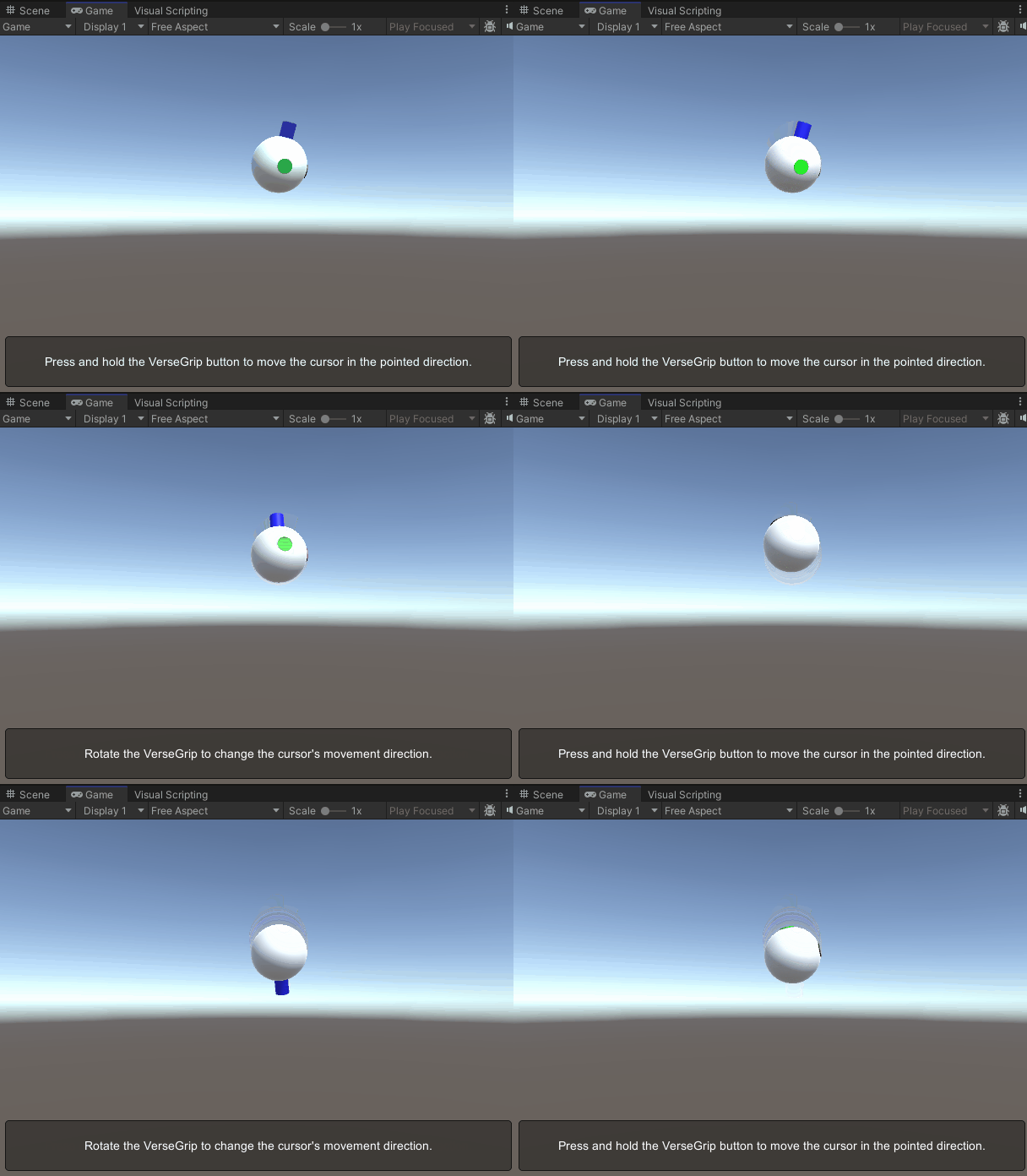
この画像は、わかりやすくするために前方軸を強調表示した Cursor Model を示しています。 Cursor Model のカスタマイズの詳細については、Cursor のドキュメント を参照してください。
ソースファイル
この例で使用されている最終シーンおよびすべての関連ファイルは、Unity のパッケージマネージャーの Tutorials サンプルからインポートできます。
VerseGripPositionControl.cs
/*
 * Copyright 2024 Haply Robotics Inc. All rights reserved.
 */

using Haply.Inverse.DeviceControllers;
using Haply.Inverse.DeviceData;
using UnityEngine;

namespace Haply.Samples.Tutorials._6_VerseGripPositionControl
{
    /// <summary>
    /// Demonstrates how to control the device cursor position using the VerseGrip.
    /// </summary>
    public class VerseGripPositionControl : MonoBehaviour
    {
        public Inverse3Controller inverse3;
        public VerseGripController verseGrip;

        [Tooltip("Cursor moving speed")]
        [Range(0, 1)]
        public float speed = 0.5f;

        [Tooltip("Maximum radius for cursor movement")]
        [Range(0, 0.1f)]
        public float movementLimitRadius = 0.075f;

        private Vector3 _targetPosition; // Target position for the cursor

        private void Awake()
        {
            inverse3.Ready.AddListener((inverse3Controller, args) =>
            {
                _targetPosition = inverse3Controller.WorkspaceCenterLocalPosition;
            });
        }

        /// <summary>
        /// Subscribes to the DeviceStateChanged event.
        /// </summary>
        private void OnEnable()
        {
            verseGrip.DeviceStateChanged += OnDeviceStateChanged;
        }

        /// <summary>
        /// Unsubscribes from the DeviceStateChanged event.
        /// </summary>
        private void OnDisable()
        {
            verseGrip.DeviceStateChanged -= OnDeviceStateChanged;
            inverse3.Release();
        }

        private void OnDeviceStateChanged(object sender, VerseGripEventArgs args)
        {
            var verseGrip = args.DeviceController;
            // Calculate the direction based on the VerseGrip's rotation
            var direction = verseGrip.Orientation * Vector3.forward;

            // Check if the VerseGrip button is pressed down
            if (verseGrip.GetButtonDown())
            {
                // Initialize target position
                _targetPosition = inverse3.CursorLocalPosition;
            }

            // Check if the VerseGrip button is being held down
            if (verseGrip.GetButton())
            {
                // Move the target position toward the grip direction
                _targetPosition += direction * (0.0001f * speed);

                // Clamp the target position within the movement limit radius
                var workspaceCenter = inverse3.WorkspaceCenterLocalPosition;
                _targetPosition = Vector3.ClampMagnitude(_targetPosition - workspaceCenter, movementLimitRadius)
                    + workspaceCenter;
            }
            // Move cursor to new position
            inverse3.SetCursorLocalPosition(_targetPosition);
        }
    }
}